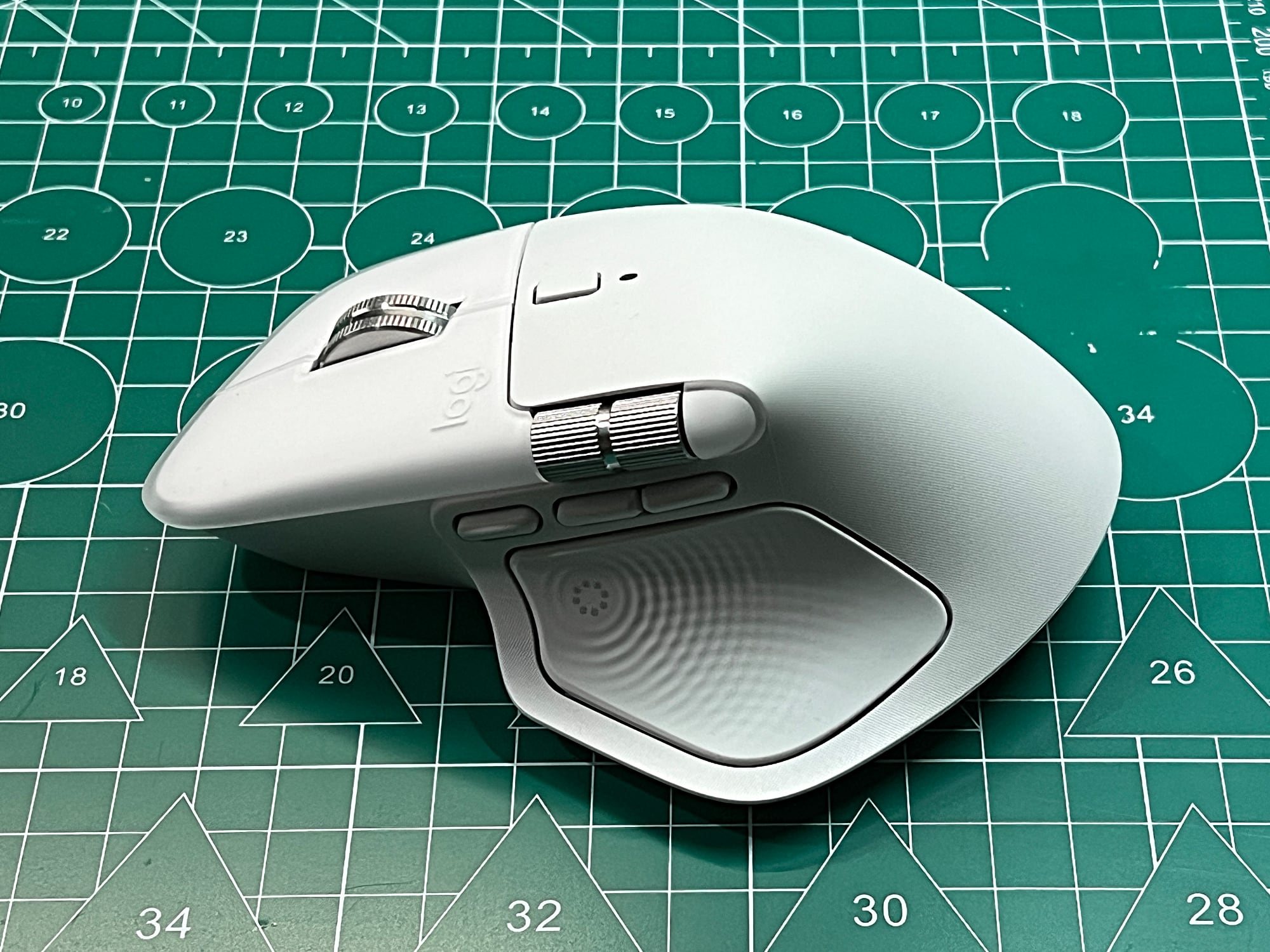
As someone who writes for a living (and spends far too many hours in front of a Mac), I am extremely particular about my keyboard and mouse. They are not accessories, but tools of the trade.
When Logitech launched the MX Master 4 in late last year, it was clear the company wasn’t trying to reinvent the wheel. Instead, it refined what was already widely regarded as the best productivity mouse in the business. I gave the MX Master 4 the Editor’s Choice. But here’s the big question for Mac users: Should you get the MX Master 4 for Mac (MXM4M), or just buy the standard MX Master 4?
| PROS | CONS |
| Simply the best productivity mouse for Mac | Almost like the normal one |
| No disconnection with Mac machines | Lacks USB-C dongle and charging cable |
| Built perfectly for your (right) hand | Expensive |
| Action Ring a productivity boon |
To start, let’s address the elephant in the room. The MXM4M is almost identical to the standard MX Master 4 in terms of hardware and performance. The key differences are the MXM4M only comes in white, lacks the USB-C wireless dongle (or Bolt receiver), and does not include a USB-C-to-USB-C charging cable.

Yes, the normal one is also available in black and includes a Bolt receiver and charging cable in the box. And so yes, you are buying essentially the same S$199 price tag for less items in the box. Sounds like an Apple product huh? But it is one less receiver to lose and one less charging cable to find (I think you will have some USB-C cable sitting around).
However, you are still getting the best productivity mouse for Mac, by inheritance, since it has the “for Mac” moniker. In my previous experiences, the “For Mac” MX Master 3/3S mice all tend to be more stable in terms of connectivity to Mac machines. It is like somehow these “For Mac” mice have some secret sauce that prevents the cannot-be-explained disconnection of the normal ones.
It might be the placebo effect, but I have yet to experience any disconnection when using the MXM4M for a month connected to my six-year-old iMac. In the review for the normal MX Master 4, I mentioned it sometimes failed to activate the Actions Ring after my Mac machine woke up from sleep. A restart of the Option+ software usually rectify the issue. There were no such issues with the MXM4M.

Also, there were a few instances when the normal MX Master 4 was not responsive, especially when waking up from sleep. They usually last for a few seconds and nothing a quick turn on-and-off can’t solve. But there were no such issues with the MXM4M.
This is probably the biggest difference the For Mac and the normal one. While these issues cause minor disruptions, they are nonetheless still quite irritating and might hamper your workflow or momentum.
Not to mention, you are still getting the same MX Master 4’s ergonomic excellence and latest additions of two main new features are Haptic Feedback and Actions Ring. In case you didn’t read my review (link here again), the MX Master 4 now has a Haptic Sense Panel, which is essentially the new thumb rest panel on the mouse’s left. It provides haptic feedback on specific actions, shortcuts, and notifications.
This panel also houses the Actions Ring button. Pressing the Actions Ring button will bring up a virtual overlay on your computer screen. This gives you quick access to customised shortcuts for your most used tasks. These tasks can include taking screenshots, volume control, and even starting ChatGPT.

Like the normal one, the MXM4M retains most of its predecessor’s highly-ergonomic structure with only slight changes. Internally, the MX Master 4 uses the same awesome 8,00DPI sensor of its predecessors. In other words, it works on any surface, including 4mm-thick glass. Additionally, it has a new advanced radio chip, improved antenna place and some Apple secret sauce for better connectivity. Thus, moving the mouse cursor never feels more fluid and enchanting than ever. Handling of the mouse is just amazing.
Again, like the normal on, the MXM4M’s main chassis uses the same textured durable silicone surface that is more resistant to wear and tear as well as easier to clean. However, the thumb rest panel and the right panel are still made of this soft-touch rubber. But the main chassis and the click buttons feel plastic and thus more unlikely to “rot”.

Like its predecessors, the battery life is rated at 70 days on a full charge (with medium haptic feedback turned on). After using the MXM4M for a month for an average of 8 hours per day, the battery level only dropped to 75%.
VERDICT: So, the million dollar question: Should you get the Mac version? Personally, I think the Logitech MX Master 4 for Mac is the best productivity mouse for Mac users. Yes, it doesn’t come with a dongle or cable, but I value connection reliability over some missing items in the box. And so, it is still another Editor’s Choice for me!
