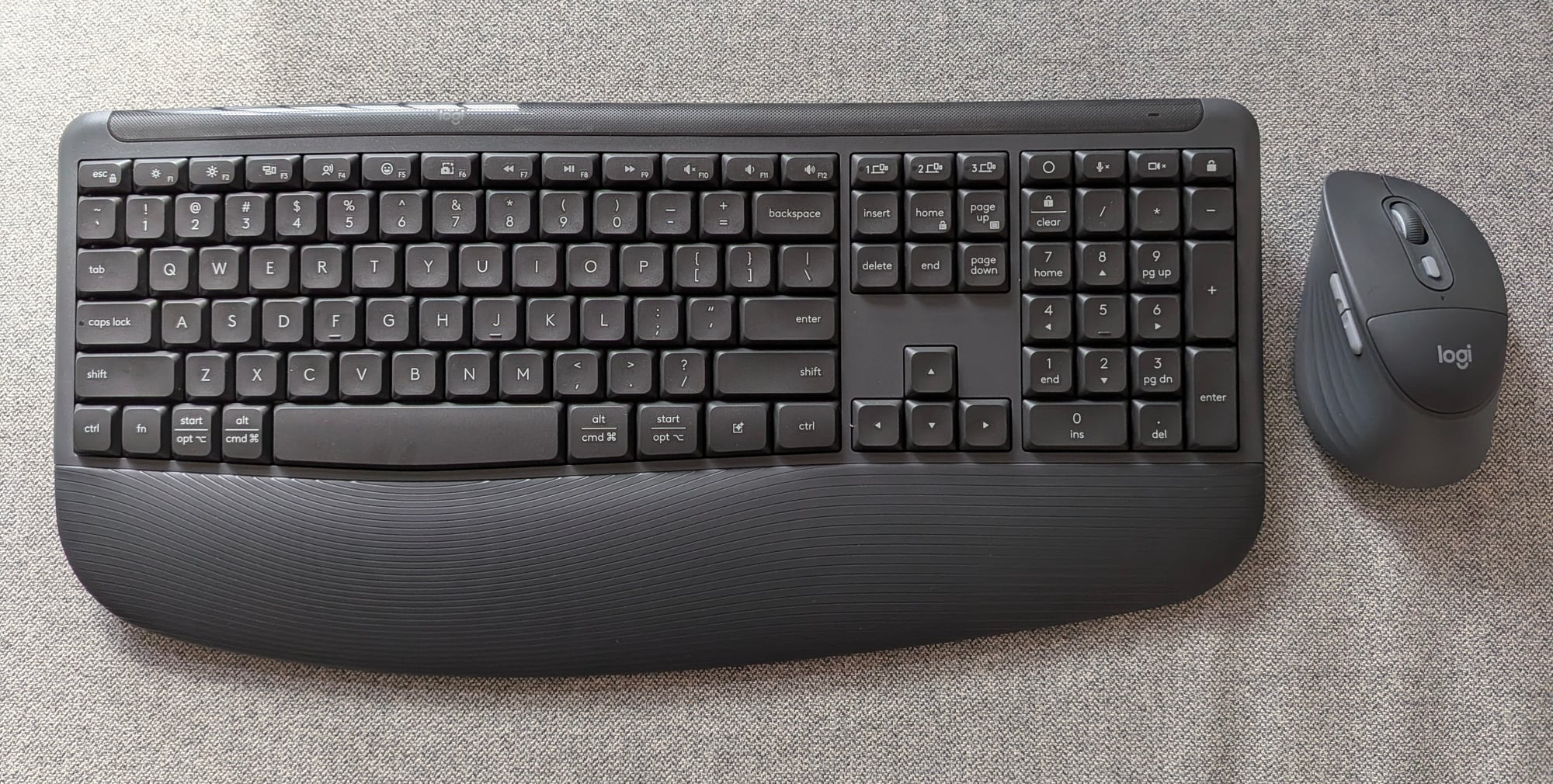
If you spend more than eight hours a day staring at multiple monitors, hammering out emails, and jumping between spreadsheets, you know the literal pain of a bad desk setup. Wrist fatigue and forearm strain are real. But for most of us, transitioning to one of those radical, alien-looking split ergonomic keyboards feels like learning to type all over again. Logitech’s answer? The Signature Comfort Plus MK880 keyboard and mouse combo.
Retailing at S$169, this combo attempts to bridge the gap by offering serious ergonomic support in a familiar, traditional layout. After spending a few weeks putting it through its paces, I can confidently say it hits the sweet spot for the modern, multi-tasking professional.
- Price: S$169, get it at Lazada or Shopee
- Connectivity: Bluetooth
- Weight: Keyboard (685g with batteries); Mouse (108g with battery)
| PROS | CONS |
| Cushioned comfort | No wired options |
| Quiet operation for office use | Keyboard needs sometime to get used to |
| Actions Ring button for mouse | Lacks the satisfactory response of mechanical switches |
| Shortcut keys for keyboard | |
| Long battery life |
The standout feature of this combo isn’t actually the keyboard, but the included M850 L mouse. This is Logitech’s very first mouse to feature a built-in palm cushion. It’s a soft, memory-foam-like touchpoint integrated directly into the sculpted right-handed grip. Paired with rubber side walls, it takes a lot of the pressure off the base of your palm during long browsing sessions.

The accompanying full-sized keyboard doesn’t skimp on comfort either. Underneath your wrists sits a silky-soft, curved dual-foam palm rest that spreads weight evenly. Plus, you get adjustable tilt legs on the back allowing for typing angles of 0, 4, or 8 degrees. In addition, the keyboard features plunger keys that offer a nice tactile press without the loud click-clack of mechanical switches.
Modern work rarely happens on just one screen. The MK880 leverages Bluetooth and Logitech’s Easy-Switch technology beautifully. With a simple tap of a dedicated key, I could instantly hop from my home desktop to a review laptop, and then over to my iPad; completely dongle-free and without any pairing lag.
There’s also a clear nod to the future here: a dedicated AI Launch Key. Depending on what ecosystem you are working in, hitting it instantly summons Microsoft Copilot on Windows, Siri on macOS, or Google Gemini on ChromeOS.

If you work in a shared office space or a quiet home environment, you’ll appreciate how hushed this duo is. The keys are dampened to keep noise down, and the mouse utilises a silent-clicking SmartWheel. The wheel dynamically shifts from precise line-by-line scrolling to hyper-fast free-spinning when you give it a hard flick. Perfect for navigating massive text files or web pages.
Not to mention, this mouse also features the Actions Ring button (sited on top below the scroll wheel) found in the flagship mouse MX Master 4 (read my review here). Pressing the Actions Ring button will bring up a virtual overlay on your computer screen. This gives you quick access to customised shortcuts for your most used tasks. These tasks can include taking screenshots, volume control, and even starting ChatGPT.

With the Logi Options+ software, you can customise the Actions Ring as well as the four buttons on the mouse. Additionally, you can also remap up to 22 shortcut keys on the keyboard.
Battery life is rated at 3 years for the keyboard on two AA batteries (included) and 2 years for the mouse on one AA battery (included). In other words, you do not need to worry about power issues for a while.
On the downside, this keyboard lacks the satisfactory loud and responsive click-clack feedback of mechanical keyboards. For a mechanical keyboard buff like myself, it does get some time to get used to. Also, there are no wired options. In other words, if wireless options don’t work, there is no way to plug a direct cable connection.

Another worry are the liveries on the keycaps. They look like it has been “stickered” on the keycaps, instead of printed. Based on my personal experience, these types of liveries tend not to last very long. Especially so for heavy users are myself.
VERDICT: The Logitech Signature Comfort Plus MK880 isn’t a radical redesign of the desktop workspace, and that is exactly why it works. It doesn’t demand that you spend a week fixing typos just to adapt to a split-key layout. Instead, it wraps a familiar, highly efficient layout in premium, pillowy comfort.
At S$169, it delivers excellent multi-device versatility, dead-silent operation, and just enough modern flair with its dedicated AI key to make it an easy recommendation for anyone looking to upgrade their daily grind.